
Black Friday VIP Sale Email Template
Atlas · Black Friday · Free HTML email template
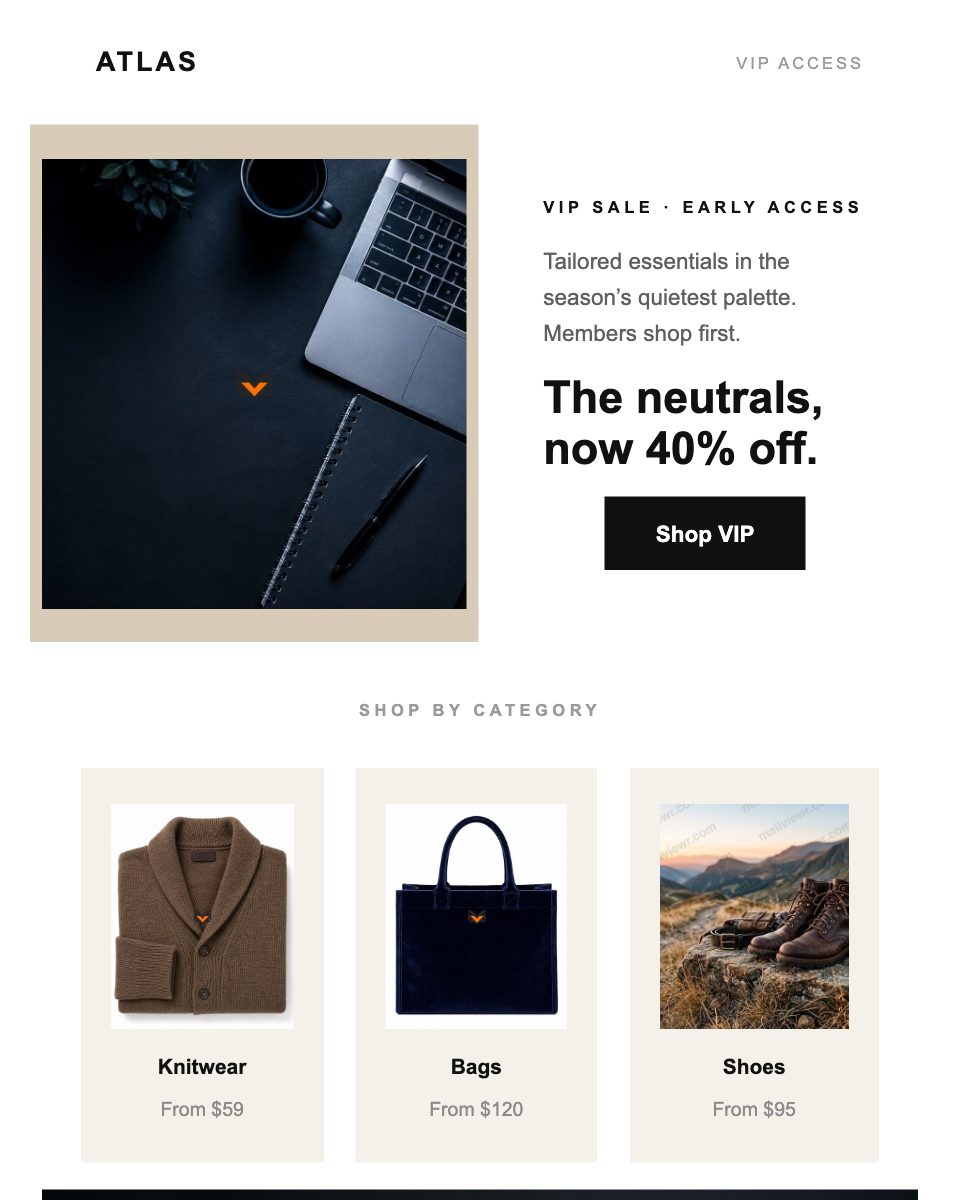
About this template
FreeThis is a free black friday VIP sale email template for black friday email — the "Atlas" design from the MailViewr template library, built in the Email Builder.
It opens with the headline "The neutrals, now 40% off.", and is made of 7 editable sections, driving readers to 2 call-to-action buttons.
Features
- Bold headline section: "The neutrals, now 40% off."
- 2 call-to-action buttons ("Shop VIP", "Continue to sale")
- 3-column layout built with tables, so it holds side by side in Outlook
- 5 image slots, swappable from your asset library
- Mobile-friendly layout that does not depend on media queries
Possible use cases
- Seasonal and flash sales
- Discount and coupon campaigns
- Black Friday / Cyber Monday promotions
- Limited-time offers
What this email says
The neutrals, now 40% off.
Tailored essentials in the season’s quietest palette. Members shop first.
From $59
From $120
From $95
Ends when the weekend does. No code needed — pricing applied at checkout.
Atlas · VIP pricing ends Sunday 11:59pm. Free returns within 30 days. Unsubscribe
Calls to action: “Shop VIP”, “Continue to sale”
Placeholder copy — every line is editable in the Email Builder.
Frequently asked questions
Is the Atlas — VIP Sale email template free?
Yes. Atlas — VIP Sale is free to open and customize in the MailViewr Email Builder. Downloading the HTML from this page needs a Plus or Pro plan.
What's included in this black friday VIP sale email template?
It opens on "The neutrals, now 40% off." and contains 7 editable sections, 5 image slots, 2 call-to-action buttons. Every one of them is editable without touching code.
When should I send a black friday VIP sale email?
Seasonal and flash sales, Discount and coupon campaigns, Black Friday / Cyber Monday promotions — this template is built for black friday email, so it suits those sends without restructuring the layout.
Can I use this black friday template with Mailchimp, Klaviyo or Brevo?
Yes. The template exports as standard, self-contained HTML that you can paste or upload into any email service provider that accepts custom HTML.
Will it display correctly in Outlook and Gmail?
The layout is built with tables and inline styles and does not rely on media queries, which Outlook ignores and some Gmail apps strip. You can verify it yourself with MailViewr's email preview before sending.
Do I need to know HTML to edit it?
No. Open it in the Email Builder and edit text, images, colors and buttons visually. The HTML is generated for you.