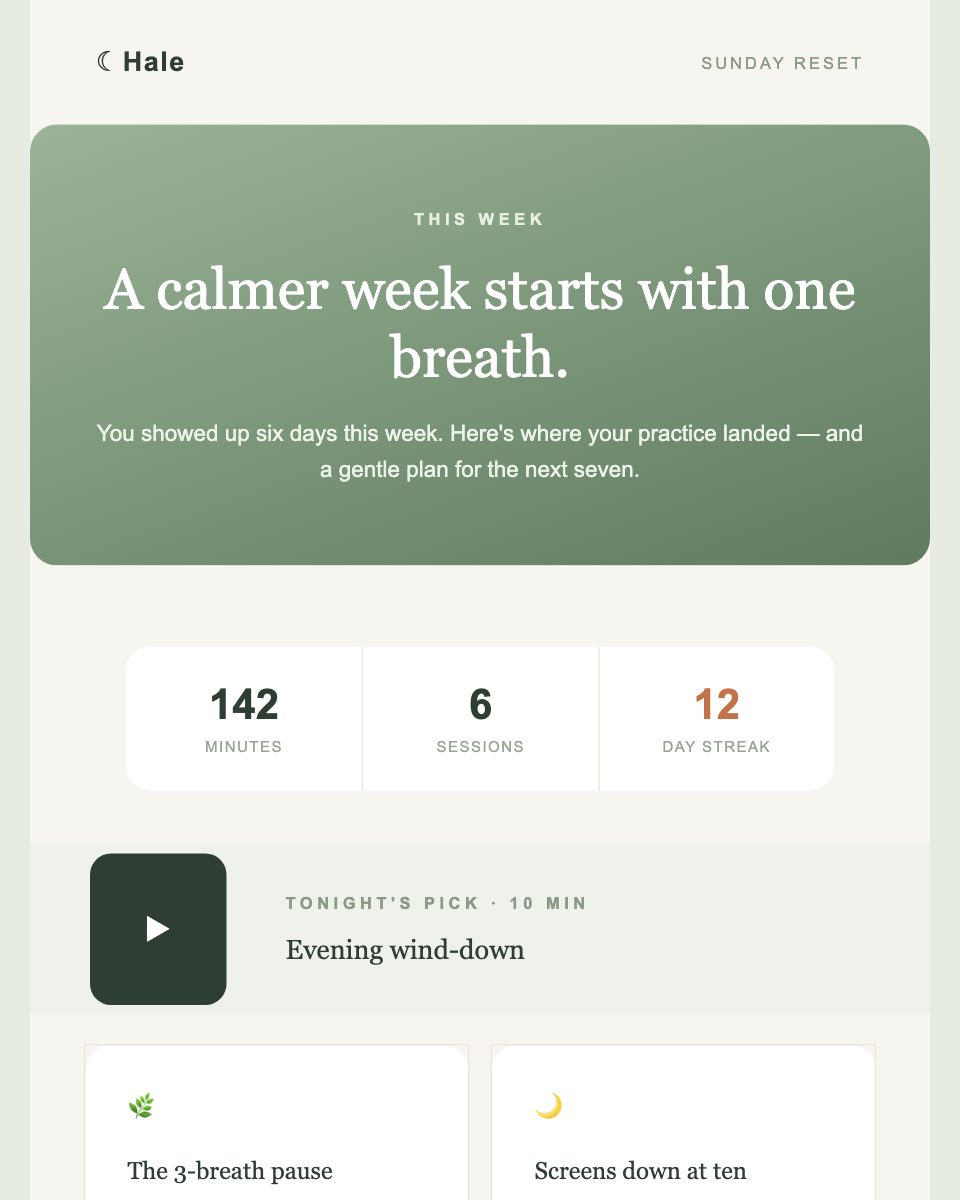
A real template from the MailViewr Email Builder's template library — category: Wellness & Beauty.
Template Preview
⚠️ Replace all {{variables}} before sending.
How to use it
Download or copy the HTML
Self-contained file. No external dependencies.
Swap variables for your ESP tags
See the reference table below for Mailchimp, SendGrid, Klaviyo.
Or plug into a template engine
Handlebars.js · Jinja2 · Liquid. Use sample-data.json to test.
Preview before sending
Paste rendered HTML back into MailViewr to verify.
Compatible with
Step-by-step integration guide for Mailchimp, SendGrid, Klaviyo, Brevo, HubSpot, Handlebars.js, Jinja2, and Liquid.
Variable mapping
| Template variable | Mailchimp tag |
|---|---|
{{first_name}} | *|FNAME|* |
{{unsubscribe_url}} | *|UNSUB|* |
{{company_name}} | *|MC:COMPANY|* |
{{year}} | Hardcode current year (e.g. 2025) |
{{discount_percent}}, {{offer_price}}, {{expiry_hours}}, {{cta_url}}, {{terms_url}} | Hardcode per campaign or use Content Blocks |
{{#each features}}...{{/each}} | Not supported — hardcode items or use Content Blocks |
Steps
⚠ Gotcha
Mailchimp strips box-shadow and some advanced CSS properties. Always send a test email before launching your campaign.
Variable mapping
| Template variable | SendGrid tag |
|---|---|
{{first_name}} | {{first_name}} |
{{discount_percent}} | {{discount_percent}} |
{{offer_price}} | {{offer_price}} |
{{expiry_hours}} | {{expiry_hours}} |
{{cta_url}} | {{cta_url}} |
{{terms_url}} | {{terms_url}} |
{{unsubscribe_url}} | {{unsubscribe_url}} |
{{company_name}} | {{company_name}} |
{{year}} | {{year}} |
{{#each features}}...{{/each}} | {{#each features}}...{{/each}} (native) |
Steps
⚠ Gotcha
Handlebars support is only available in Dynamic Transactional Templates — not Marketing Campaigns. Make sure you're using the correct template type.
Variable mapping
| Template variable | Klaviyo tag |
|---|---|
{{first_name}} | {{ first_name }} |
{{discount_percent}} | {{ discount_percent }} |
{{offer_price}} | {{ offer_price }} |
{{expiry_hours}} | {{ expiry_hours }} |
{{cta_url}} | {{ cta_url }} |
{{terms_url}} | {{ terms_url }} |
{{unsubscribe_url}} | {{ unsubscribe_url }} |
{{company_name}} | {{ company_name }} |
{{year}} | {{ year }} |
{{#each features}} | {% for feature in features %} |
{{this.name}}, {{this.original_price}} | {{ feature.name }}, {{ feature.original_price }} |
{{/each}} | {% endfor %} |
Steps
⚠ Gotcha
Klaviyo uses Jinja2-style syntax, not Handlebars. The {{#each}} loop must be rewritten as {% for feature in features %} … {% endfor %}.
Variable mapping
| Template variable | Brevo tag |
|---|---|
{{first_name}} | {{ contact.FIRSTNAME }} |
{{discount_percent}} | {{ params.discount_percent }} |
{{offer_price}} | {{ params.offer_price }} |
{{expiry_hours}} | {{ params.expiry_hours }} |
{{cta_url}} | {{ params.cta_url }} |
{{terms_url}} | {{ params.terms_url }} |
{{unsubscribe_url}} | {{ params.unsubscribe_url }} |
{{company_name}} | {{ params.company_name }} |
{{year}} | {{ params.year }} |
{{#each features}} | {% for feature in params.features %} |
{{this.name}}, {{this.original_price}} | {{ feature.name }}, {{ feature.original_price }} |
{{/each}} | {% endfor %} |
Steps
⚠ Gotcha
Brevo distinguishes between contact attributes (contact. prefix) and transactional params (params. prefix). Mixing them up is the most common integration error.
Variable mapping
| Template variable | HubSpot tag |
|---|---|
{{first_name}} | {{ contact.firstname }} |
{{unsubscribe_url}} | {{ unsubscribe_link }} |
{{company_name}} | {{ account.company_name }} |
{{discount_percent}} | {{ discount_percent }} |
{{offer_price}} | {{ offer_price }} |
{{expiry_hours}} | {{ expiry_hours }} |
{{cta_url}} | {{ cta_url }} |
{{terms_url}} | {{ terms_url }} |
{{year}} | {{ year }} |
{{#each features}} | {% for feature in features %} |
{{this.name}}, {{this.original_price}} | {{ feature.name }}, {{ feature.original_price }} |
{{/each}} | {% endfor %} |
Steps
⚠ Gotcha
HubSpot uses HubL (a Jinja2 variant). Custom HTML emails require a paid Marketing Hub account.
Variable mapping
| Template variable | Handlebars.js tag |
|---|---|
{{first_name}} | {{first_name}} — no change |
{{discount_percent}}, {{offer_price}}, etc. | All scalar variables — no change |
{{#each features}}...{{/each}} | {{#each features}}...{{/each}} — no change |
Steps
const Handlebars = require('handlebars');
const fs = require('fs');
const templateStr = fs.readFileSync('template.html', 'utf-8');
const template = Handlebars.compile(templateStr);
const html = template({
first_name: 'Alex',
discount_percent: '20',
offer_price: '$79',
expiry_hours: '48',
cta_url: 'https://example.com/deal',
terms_url: 'https://example.com/terms',
unsubscribe_url: 'https://example.com/unsubscribe',
company_name: 'Acme Inc.',
year: new Date().getFullYear(),
features: [
{ name: 'Feature A', original_price: '$99' },
{ name: 'Feature B', original_price: '$49' },
],
});Variable mapping
| Template variable | Jinja2 tag |
|---|---|
{{first_name}} | {{ first_name }} |
{{discount_percent}} | {{ discount_percent }} |
{{offer_price}} | {{ offer_price }} |
{{expiry_hours}} | {{ expiry_hours }} |
{{cta_url}} | {{ cta_url }} |
{{terms_url}} | {{ terms_url }} |
{{unsubscribe_url}} | {{ unsubscribe_url }} |
{{company_name}} | {{ company_name }} |
{{year}} | {{ year }} |
{{#each features}} | {% for feature in features %} |
{{this.name}}, {{this.original_price}} | {{ feature.name }}, {{ feature.original_price }} |
{{/each}} | {% endfor %} |
Steps
from jinja2 import Environment
from datetime import datetime
env = Environment()
with open('template.html') as f:
template = env.from_string(f.read())
html = template.render(
first_name='Alex',
discount_percent='20',
offer_price='$79',
expiry_hours='48',
cta_url='https://example.com/deal',
terms_url='https://example.com/terms',
unsubscribe_url='https://example.com/unsubscribe',
company_name='Acme Inc.',
year=datetime.now().year,
features=[
{'name': 'Feature A', 'original_price': '$99'},
{'name': 'Feature B', 'original_price': '$49'},
],
)⚠ Gotcha
Jinja2 uses {% %} for logic blocks and {{ }} for variables. The Handlebars {{#each}} loop must be rewritten as {% for feature in features %} … {% endfor %}.
Variable mapping
| Template variable | Liquid tag |
|---|---|
{{first_name}} | {{ first_name }} |
{{discount_percent}} | {{ discount_percent }} |
{{offer_price}} | {{ offer_price }} |
{{expiry_hours}} | {{ expiry_hours }} |
{{cta_url}} | {{ cta_url }} |
{{terms_url}} | {{ terms_url }} |
{{unsubscribe_url}} | {{ unsubscribe_url }} |
{{company_name}} | {{ company_name }} |
{{year}} | {{ year }} |
{{#each features}} | {% for feature in features %} |
{{this.name}}, {{this.original_price}} | {{ feature.name }}, {{ feature.original_price }} |
{{/each}} | {% endfor %} |
Steps
⚠ Gotcha
Shopify Liquid uses customer-scoped variables ({{ customer.first_name }}), while standard Liquid uses flat variables ({{ first_name }}). Know which context you're targeting.