User Onboarding Email Template
Inklo · SaaS · Free HTML email template
About this template
FreeThis is a free user onboarding email template for saas email — the "Inklo" design from the MailViewr template library, built in the Email Builder.
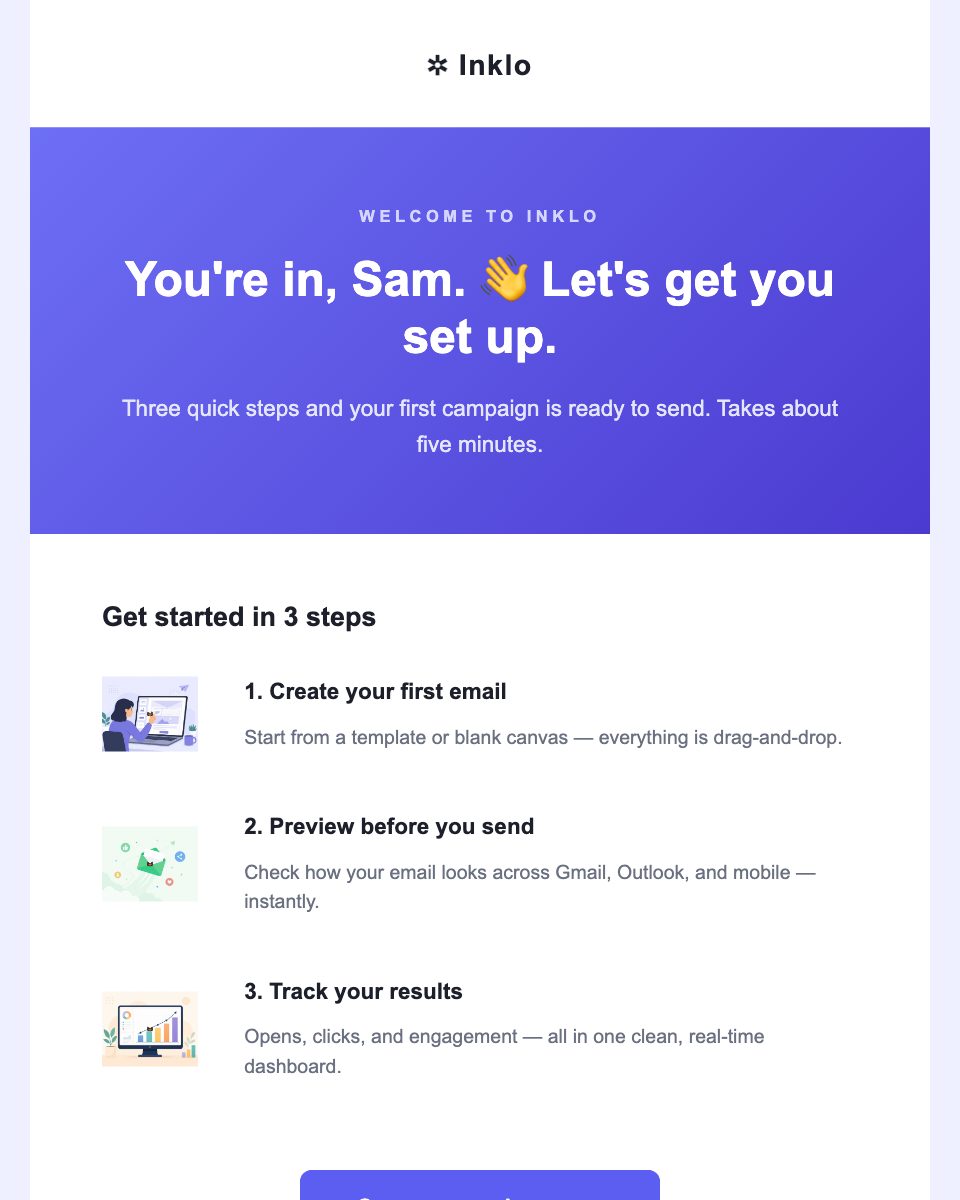
It opens with the headline "You're in, Sam. 👋 Let's get you set up.", and is made of 8 editable sections, driving readers to a single "Open your workspace →" button.
Features
- Gradient hero section
- Clear call-to-action button ("Open your workspace →")
- 2-column layout built with tables, so it holds side by side in Outlook
- 3 image slots, swappable from your asset library
- Mobile-friendly layout that does not depend on media queries
Possible use cases
- Product launch and feature announcements
- User onboarding sequences
- Usage reports and account digests
- Re-engagement campaigns
What this email says
You're in, Sam. 👋 Let's get you set up.
Three quick steps and your first campaign is ready to send. Takes about five minutes.
Start from a template or blank canvas — everything is drag-and-drop.
Check how your email looks across Gmail, Outlook, and mobile — instantly.
Opens, clicks, and engagement — all in one clean, real-time dashboard.
Need help? Book a 15-min onboarding call
Inklo · Email tools for teams that care about craft. Help Center · Unsubscribe
Call to action: “Open your workspace →”
Placeholder copy — every line is editable in the Email Builder.
Frequently asked questions
Is the Inklo — Welcome aboard email template free?
Yes. Inklo — Welcome aboard is free to open and customize in the MailViewr Email Builder. Downloading the HTML from this page needs a Plus or Pro plan.
What's included in this user onboarding email template?
It opens on "You're in, Sam. 👋 Let's get you set up." and contains 8 editable sections, 3 image slots, a "Open your workspace →" call-to-action button. Every one of them is editable without touching code.
When should I send a user onboarding email?
Product launch and feature announcements, User onboarding sequences, Usage reports and account digests — this template is built for saas email, so it suits those sends without restructuring the layout.
Can I use this saas template with Mailchimp, Klaviyo or Brevo?
Yes. The template exports as standard, self-contained HTML that you can paste or upload into any email service provider that accepts custom HTML.
Will it display correctly in Outlook and Gmail?
The layout is built with tables and inline styles and does not rely on media queries, which Outlook ignores and some Gmail apps strip. You can verify it yourself with MailViewr's email preview before sending.
Do I need to know HTML to edit it?
No. Open it in the Email Builder and edit text, images, colors and buttons visually. The HTML is generated for you.